01 / After subscribing
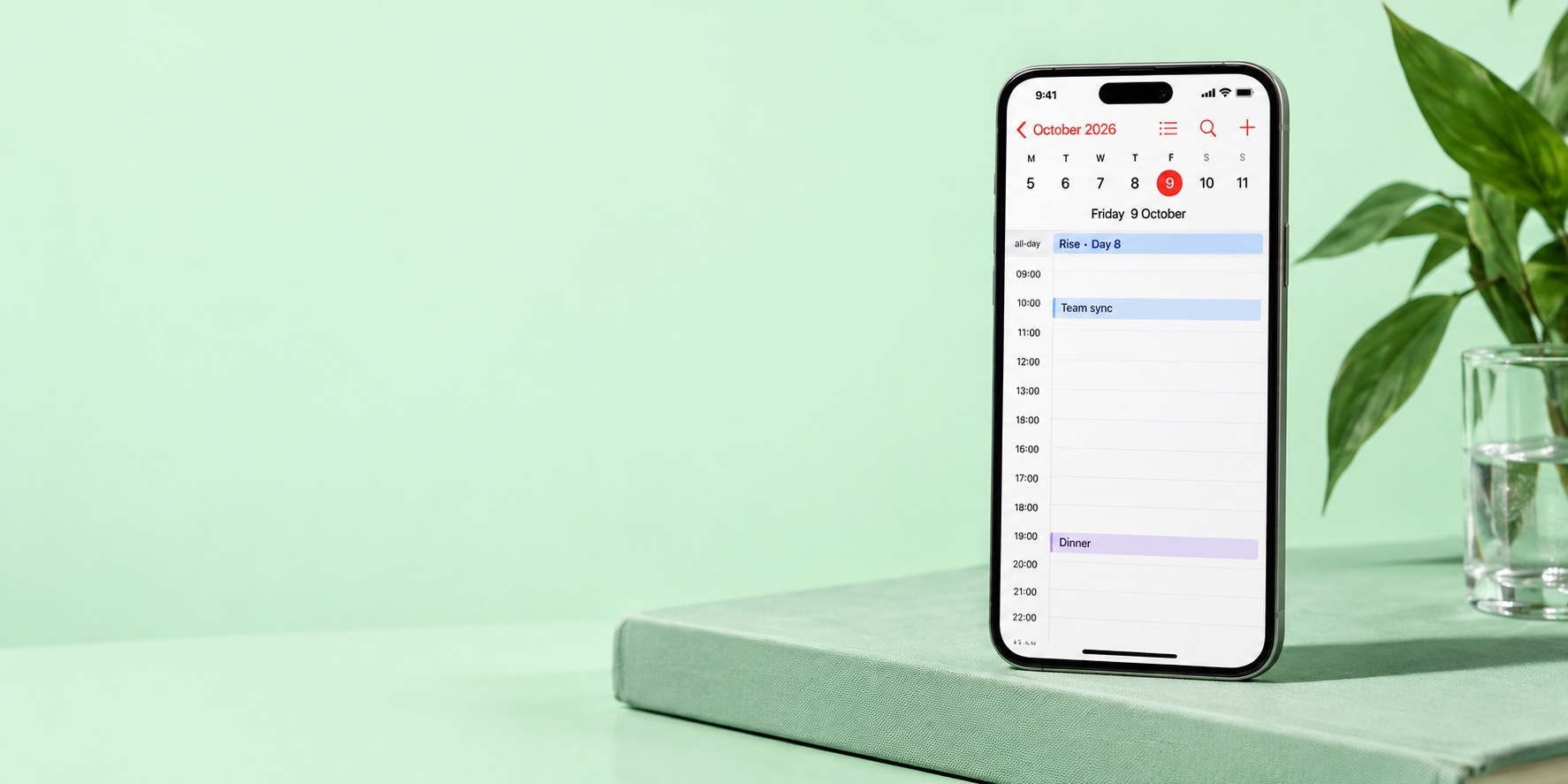
How it looks in your calendar.
Cycle Calendar appears as its own subscribed calendar inside Apple Calendar, Google Calendar, or Outlook. You can show, hide, or remove it anytime.
Create calendar
Free. No account. No extra app.
Your calendar is ready.
Instructions & link
Open the subscription in Apple Calendar and confirm Subscribe. On a Mac, the copied link can also be added as a new calendar subscription.
In Google Calendar on a computer, add the copied link using Other calendars → From URL. You cannot add this subscription directly in the mobile app.
Google CalendarIn Outlook on the web, add a calendar using Subscribe from web and paste the copied link. A one-time file import will not receive updates.
OutlookSubscribe instead of importing a file. Changes appear at your calendar app's next feed refresh; this can take more than a day.
Adjust your cycleSet this up with her agreement.
Phases are estimated from the dates, not measured. They do not predict her mood or identify ovulation.
When a new period starts, update the start date through a calendar entry. Keep the same subscription.
Today would be
Example using a 28-day cycle. No personal data has been entered.
Each cycle phase shows as a calm all-day entry across the weeks.
Tap an entry: short context, body signs, and one small thing to notice today.
02 / The cycle
Four phases. Four rhythms.
Four cues for an approximate cycle rhythm. Timing and experience vary, even from one cycle to the next.
Regeneration
Menstruation · Days 1–5
Menstruation starts the cycle. Comfort and energy vary; rest is an option, not a rule.
Rise
Follicular · Days 6–12
Estrogen generally rises before ovulation. How this feels differs from person to person.
Peak
Ovulation · Days 13–16
An estimated window around ovulation. The calendar does not detect ovulation or predict desire.
Shift
Luteal · Days 17–28
The phase after ovulation. Changes can be noticeable or subtle; ask rather than assume.
Illustrative 28-day model, not measured phase timing.
03 / Born out of a need
More context. Fewer assumptions.
The calendar offers context. She tells you how she feels. Use the reminder to pay attention, not to explain her experience to her.
- Ask how she feels, rather than assuming.
- Offer to take a task off her hands.
- Make plans together, not from a forecast.
What exactly do I get?
A private subscribed calendar that adds the four cycle phases as all-day entries — with a short daily note for each day. It appears as its own calendar inside Apple Calendar, Google Calendar, or Outlook. No app to install, no account to create, no sign-up of any kind.
Who is this for?
For men who want to understand her cycle and be more attentive in everyday life.
Which calendars work?
Any calendar that supports ICS/WebCal: Google Calendar, Apple Calendar, Outlook, and most others.
What if the cycle shifts?
When a new period starts, use the update link in a calendar entry to enter the new start date. The subscription stays the same. Your calendar app fetches the changes on its own schedule.
How accurate is this?
This is a date-based estimate, not a measurement of hormones, mood or ovulation. Cycles vary. The simple natural-cycle model may not fit irregular cycles or hormonal contraception.
Is this a fertility tracker?
No. It's an orientation tool — designed for awareness, not for conception planning or contraception.
What about privacy?
No account is required. Cycle and operational data are stored on the server. There are aggregate counts and server logs, but no advertising profiles. The private link grants access; see Privacy for details.
- No account or email address is required to create a calendar.
- The server stores cycle dates, language, hemisphere and the operational data needed to provide the feed.
- No advertising trackers. Small aggregate usage counts and operational logs are kept.
- We do not have access to your other personal calendar events.
- Keep the link private. Anyone with it, including your chosen calendar provider, can access the feed.
For Men Who Care
Her cycle, in your calendar.
Free. No account. No extra app.